 Flowlab Apps
Topmast
Topmast lives in the Windows tray and keeps an eye on what you would otherwise go looking for: how hard your PC is working, whether it is allowed to sleep, how bright your monitor is, and why it froze. Everything it measures stays on your PC.

- Windows$24.99 with a free trial on the Microsoft StoreWindows 10 version 2004 or later, 64-bit
Prices in US dollars. Each store shows the price in your country.
The lookout for your PC, in the tray.
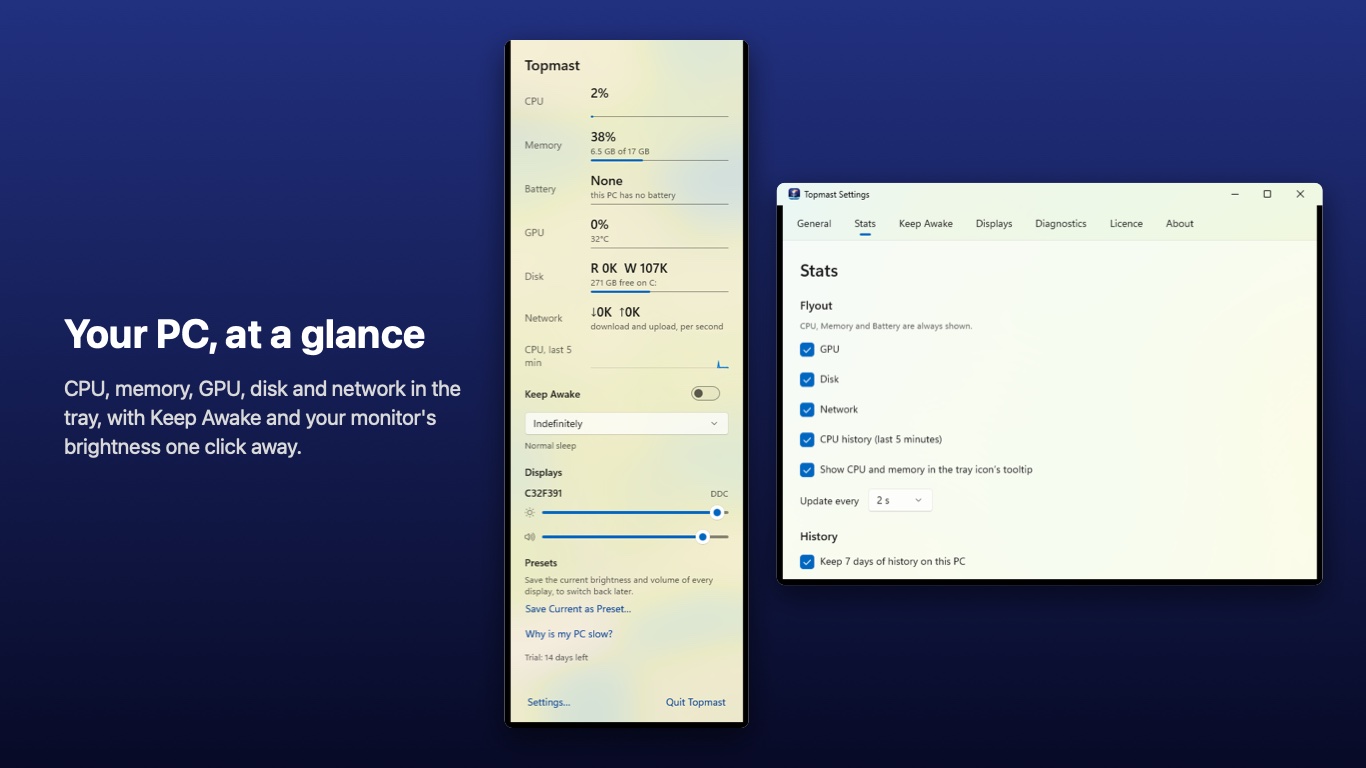
Topmast puts CPU, memory, GPU load and temperature, disk and network in the notification area, with a five-minute chart and seven days of history. Its alerts speak up when something stays wrong, such as memory pressure staying high for five minutes, instead of flashing at every spike.
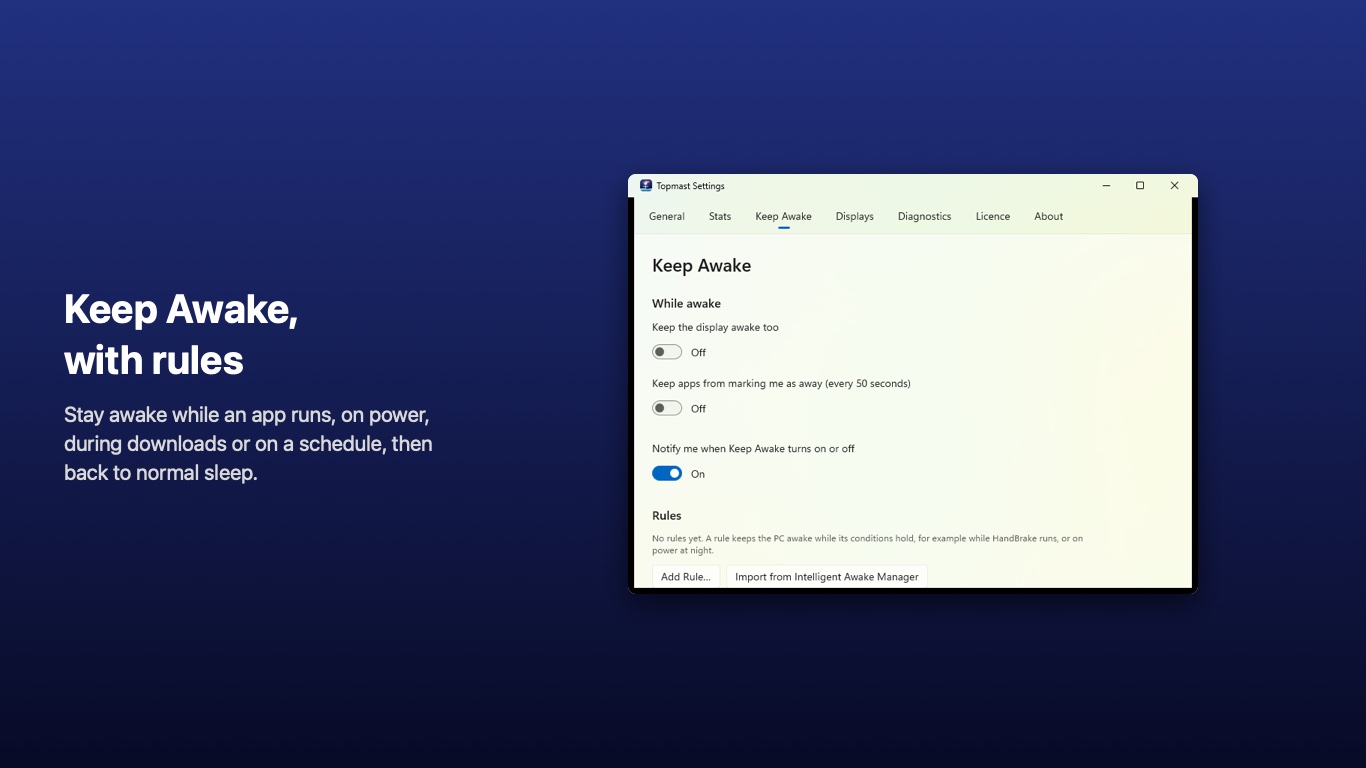
Keep Awake holds off sleep for an hour, until you turn it off, or by rule: while an app is running, while the PC is on power, while a download or backup is busy, or on a schedule. When the reason goes away, normal sleep comes back by itself.
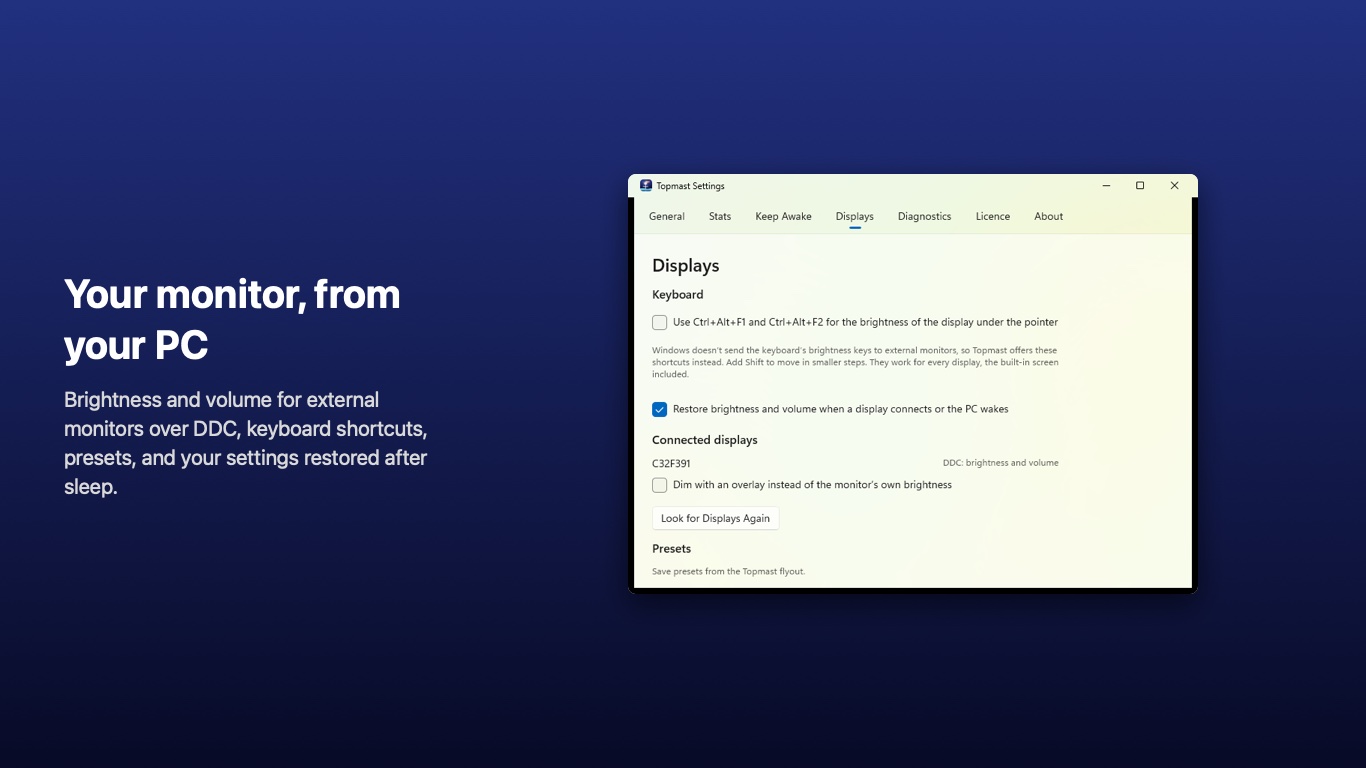
External monitors get brightness and volume controls in the tray over DDC/CI, with keyboard shortcuts and presets, and Topmast puts your settings back when a monitor reconnects or the PC wakes. A monitor without DDC can be dimmed with an overlay.
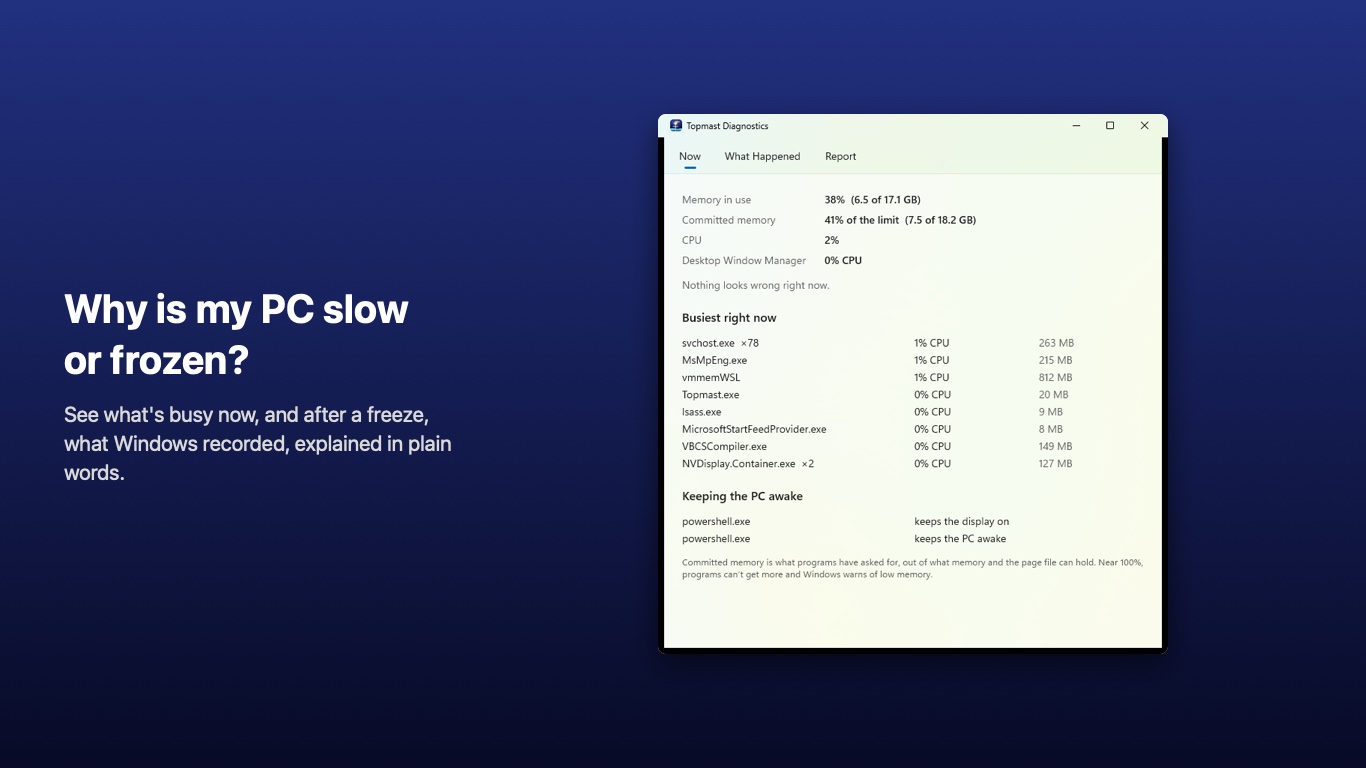
After a freeze or a forced restart, Topmast reads what Windows recorded (blue screens, graphics-driver resets, hardware errors, power-button restarts, apps that stopped responding) and says what happened in plain words, with what to try next. A small flight recorder keeps the minutes before it.
Topmast runs on PCs with Windows 10 (version 2004) or Windows 11, 64-bit. There is no account, no analytics and no advertising.
See it on Windows
What it does
CPU, memory, GPU load and temperature, disk and network in the tray. Alerts fire when something stays wrong, not at every spike.
One reading a minute for each stat, kept on your PC for seven days, with a five-minute CPU chart in the tray.
Stay awake for a set time, until you say so, while an app runs, on power, during a download or backup, or on a schedule. Sleep comes back by itself.
Brightness and volume for external monitors over DDC/CI, with Ctrl+Alt+F1 and F2, presets, and an overlay for monitors without DDC.
Topmast reads Windows' own records of blue screens, driver resets, hardware errors and forced restarts, and explains them in plain words.
A support report with your name, PC name, folders and network addresses removed, ready to paste into a forum. It leaves Topmast only when you copy it.
This app collects no data
Topmast collects nothing. Everything it measures stays on your PC, it has no network code of its own, and there is no account, analytics or advertising.
Details
| Category | Utilities |
|---|---|
| Platforms | Windows |
| Availability | Available on the Microsoft Store |
| Microsoft Store | apps. |
| Bundle identifier | FlowLabApps. |
| Account required | No — there is no sign-up or login |
| Data collected | None |
| Privacy policy | flowlabapps. |
| Support | flowlabapps. |